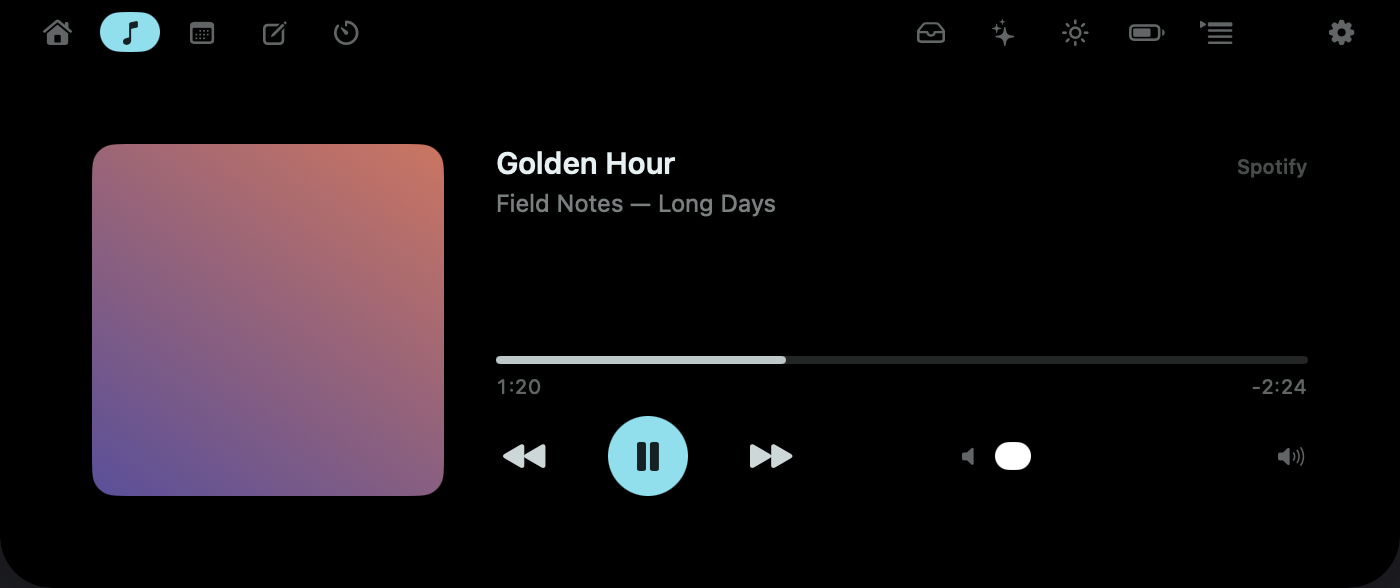
Spotify and Apple Music
Scrub, skip and set volume without leaving your app. Nothing polls in the background.
For your Mac’s notch
Nine tools, one hover away — in the space your MacBook already spends on the camera.
Everything grows out of the same shape at the top of your screen. A peek on hover, the panel on click, gone the moment you are — never a second window.

Scrub, skip and set volume without leaving your app. Nothing polls in the background.
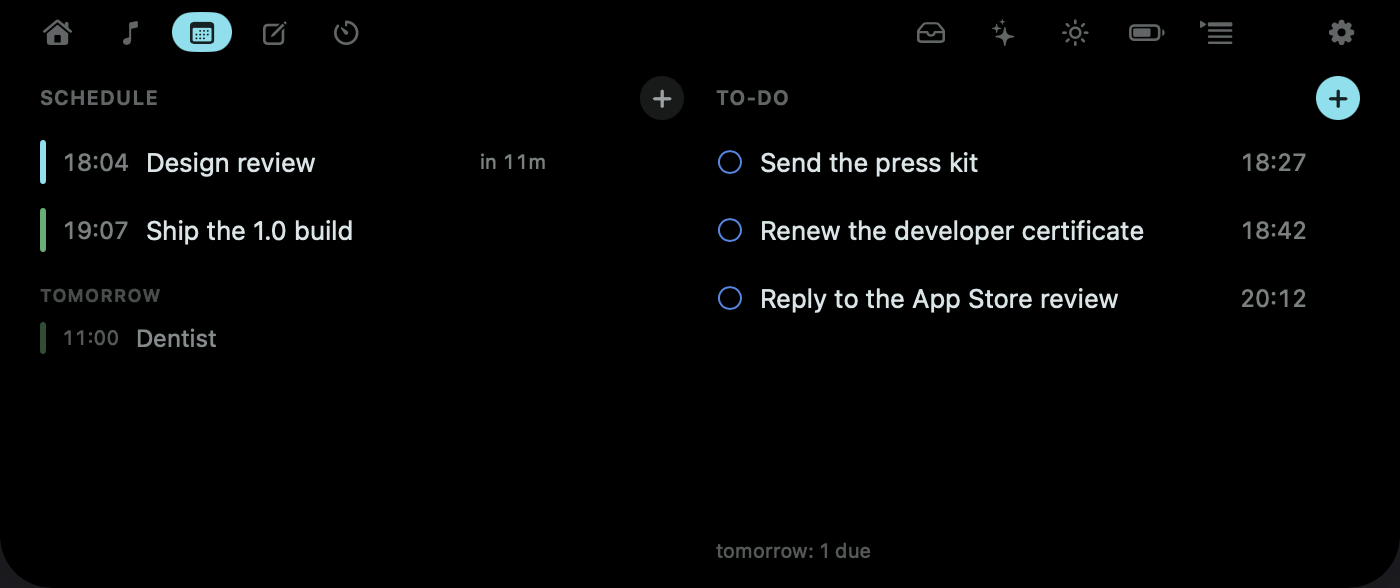
Today's meetings beside today's to-dos. Check one off or add one without opening Calendar.
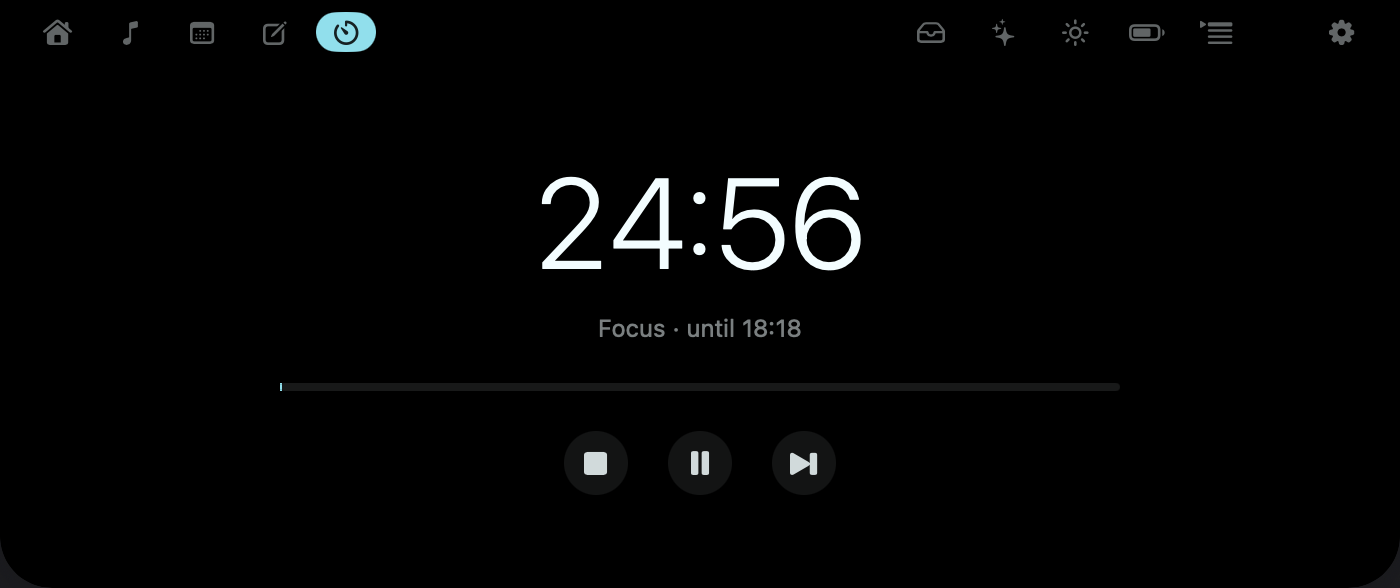
The countdown rides the collapsed notch while you work. Phases never flip on their own.
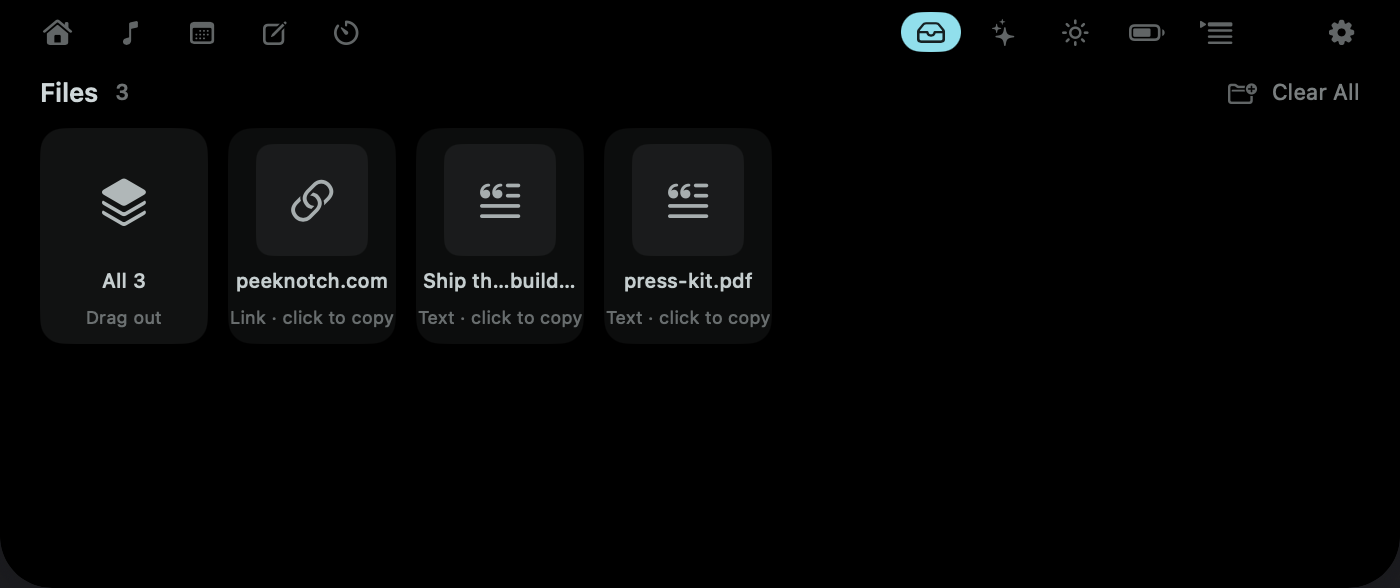
Drag files onto the notch and they wait there. Drag them back out anywhere — always a copy.
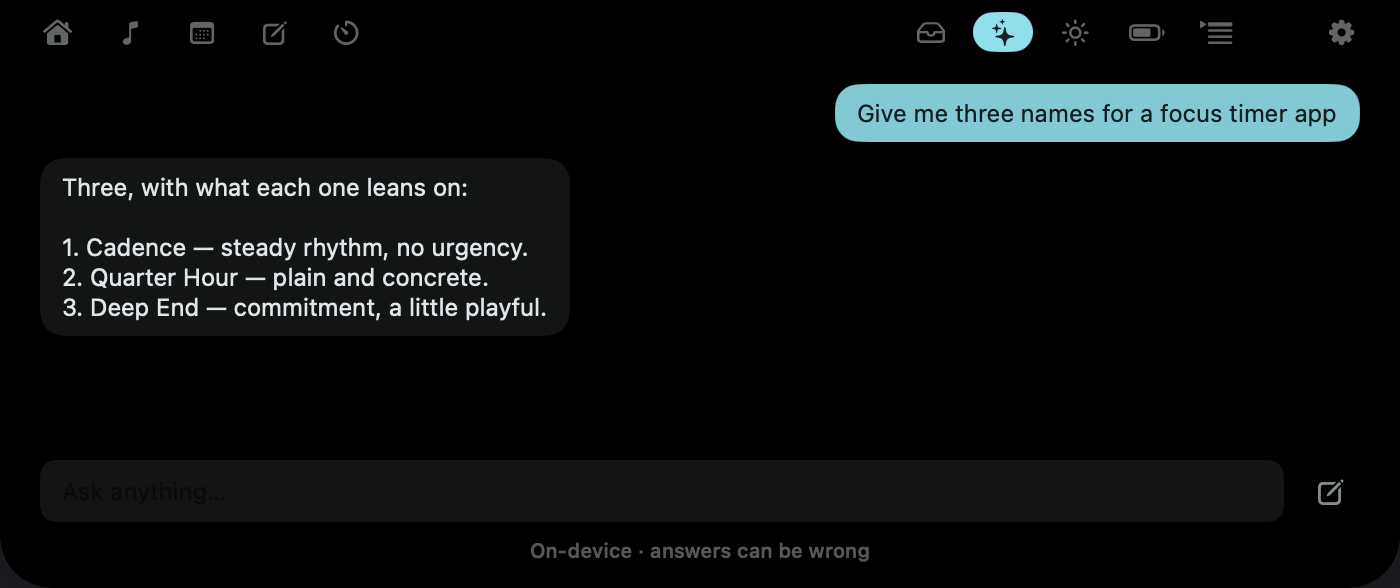
Ask mid-thought and read the answer in the notch. No account, no API key, nothing leaves your Mac.
Needs macOS 26 and Apple silicon (M1 or later), with Apple Intelligence on
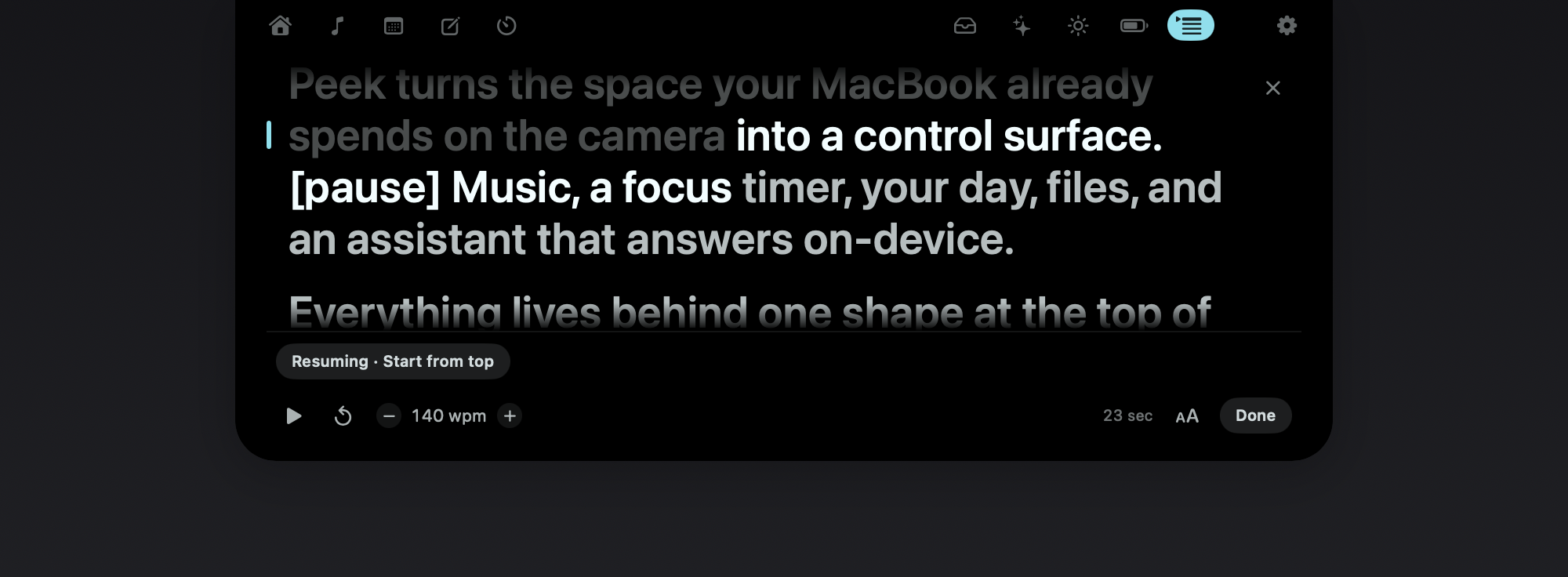
Paste a script and read it directly under the lens. It follows your voice — pause to think and it waits.
Voice follow needs macOS 26 — it scrolls at a steady speed everywhere else
Jot straight into Apple Notes. The first line becomes the title.
A sentence about the sky, not a wall of numbers.
Your Mac, plus your AirPods, mouse and keyboard.
Classic, Studio and Terminal. Pick an accent, or bring your own.
Hotkey to open, arrows to move, Escape to close.
Start a timer or capture a note from Shortcuts and Spotlight.
Drag the widgets where you want them.
Not nine features you have to learn. Four moments where the thing you needed was already at the top of the screen.
09:02
Standup in eight minutes shows up on the collapsed notch, with the join link already found. You never opened Calendar.
11:40
Start a timer, skip a track, check what's next — without leaving the document. The panel never takes focus from your app.
14:15
Drag it onto the notch and it waits there. Drag it back out into Slack, or drop it straight onto AirDrop. Always a copy.
17:30
Your script scrolls under the lens, following your voice. You look at the camera the whole time, because that's where the words are.
This is the actual panel, at the app’s real size. Hover the notch, then click it — everything in it works.
Because the menu bar is already full, and every app in it costs you a click and a window.
Everything a buyer would rather find out now than after paying.
| Idle cost | <0.5% CPU — nothing scheduled while collapsed |
|---|---|
| Focus | never stolen — the panel can’t take it from your app |
| Accounts | none — the trial asks for no email, card, or sign-up |
| Diagnostics | off by default — sent only if you opt in |
| Requires | macOS 14+ · Apple silicon |
| Modules | 9 — three ship switched off; every one toggles in Settings |
| On-device AI | macOS 26 · M1 or later · Apple Intelligence on — every other module runs on macOS 14+ |
| Shortcuts | Shortcuts app — and Spotlight on macOS 26 |
| Voice follow | macOS 26 — the teleprompter scrolls at a steady speed everywhere else |
| License | 2 Macs — activate the second with your license key |
| Updates | built in — quiet self-updates, included |
| No notch? | floating pill — same app on notchless Macs and external displays |
Every download starts a 24-hour full trial. No account, no card, no email — just the whole app.
$24.99 once
incl. tax · not a subscription
Tax included — the price you see is the price you pay. Checkout opens in your browser through Stripe — Apple Pay, Google Pay, or a card — and Peek unlocks the moment you’re done.
Your license key arrives by email and works forever. There is no renewal to miss, and nothing expires if you stop paying attention.
Collapsed, Peek schedules nothing at all — no timers, no display links, under 0.5% CPU. Work only happens while the panel is open. You have 24 hours to check that yourself.
Permissions are asked in context, one at a time, never up front — and a module you switch off is never asked about. AI runs on your Mac. Diagnostics are off unless you turn them on.
Then you spent nothing. The trial is the whole app for a full day, and it starts without you handing over an email address.
Nothing. Download, open, and every module is unlocked for 24 hours — no account, no card, no email. When it ends, Peek locks and asks whether it earned a place.
The surface locks and offers the purchase. Your settings survive; unlock and everything is where you left it. Reinstalling doesn't reset the clock.
Spotify and Apple Music, through their official automation interfaces — no private APIs. Browser audio isn't controllable that way, so Peek doesn't pretend to.
No — and three of them ship switched off. Every module has a switch, the tour walks you through picking them, and the tab strip only carries what you turned on.
No. On notchless Macs and external displays Peek renders as a floating pill at the top edge and behaves identically. The notch is the natural habitat, not a requirement.
A trial check-in with an anonymous hashed device ID, and license checks after purchase. Diagnostics are off until you opt in, and AI runs entirely on your Mac — prompts never leave it. The full accounting is in the privacy policy.
Two. Activate the second with the license key from your purchase email. Need to move a license, or have a problem with a purchase? Write to support@peeknotch.com — a human answers.
Stripe's Link is the merchant of record for Peek purchases: it charges your card, handles VAT or sales tax, and emails your receipt and tax invoice. Your license key comes from us in a separate email.
One day, everything on, nothing asked.
Download for Mac